
OpenClip
The open-source text action popup for macOS.
[](https://github.com/ganeshmshetty/openclip/releases)
[](LICENSE)
[](https://github.com/ganeshmshetty/homebrew-tap)
[](https://discord.gg/acYYdzM7jR)
[](https://github.com/sponsors/ganeshmshetty)
[](https://buymeacoffee.com/ganeshmshetty)
[](https://ko-fi.com/ganeshmshetty)
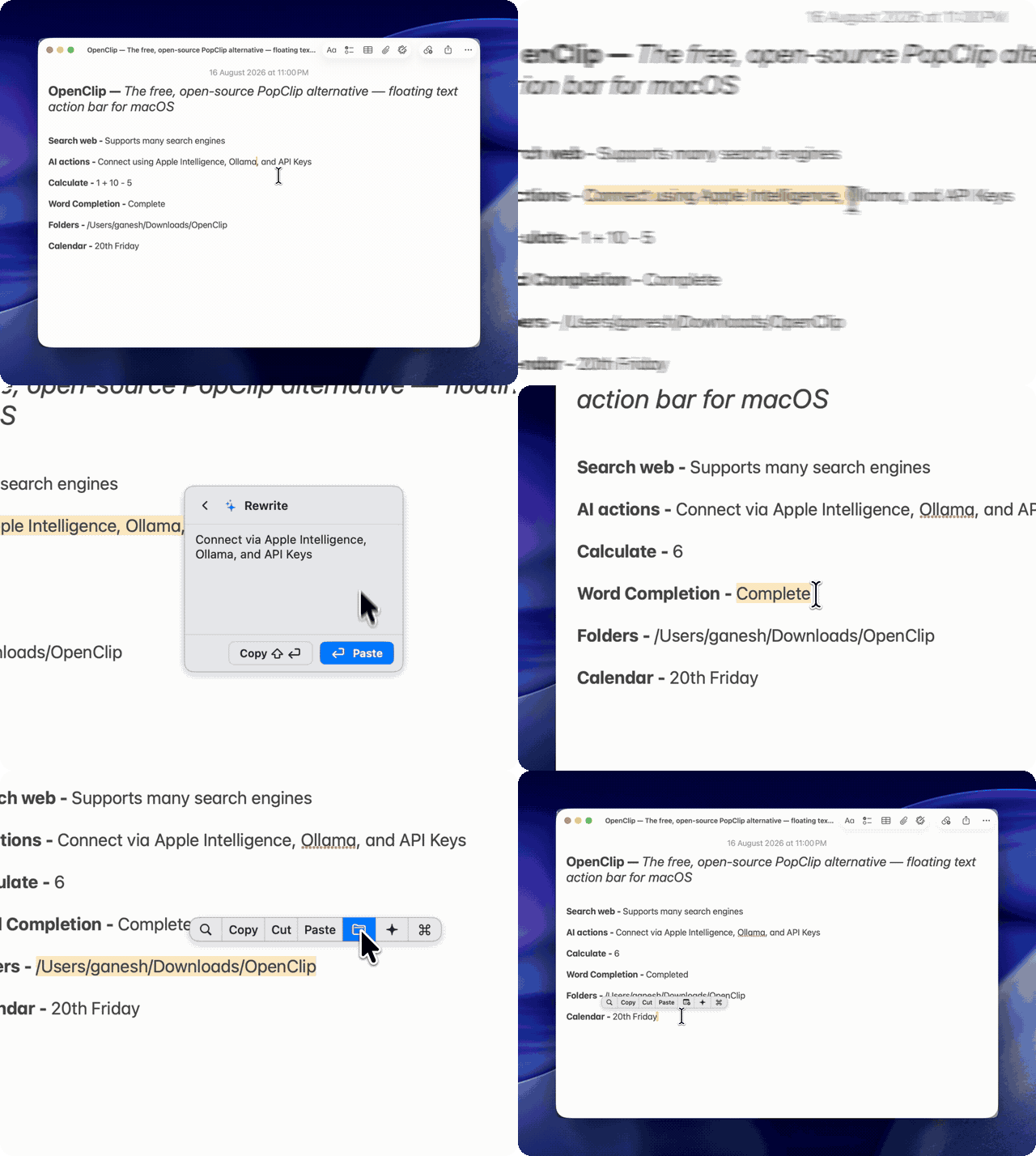
Select text in any app, and OpenClip pops up with contextual actions — transform text, run shell scripts, trigger shortcuts, evaluate math expressions, or query AI models.
Installation
Homebrew (Recommended)
brew install --cask openclip
Direct Download
Download the latest .dmg from Releases.
Note: Requires Accessibility permission (
System Settings → Privacy & Security → Accessibility) to detect selected text without relying on clipboard polling.
Features
- Contextual bar — Appears instantly near your selection with relevant actions (case transform, search, copy/cut, math, or custom scripts).
- Search palette (
⌥⌘C) — Press hotkey to fuzzy search your entire action catalog. - Extensions — Write or install custom extensions in JavaScript, Shell, AppleScript, or URL schemes.
- Native & fast — Written in Swift 6 with strict concurrency; lightweight background footprint.
- Optional AI actions — Run text through local Ollama models, Apple Intelligence, or OpenAI/Anthropic keys.
- Privacy-first — Zero telemetry, no analytics, 100% local execution.
Extensions
Extensions are simple folders in ~/.openclip/extensions/. A basic URL lookup extension only needs an openclip.json:
{
  "identifier": "com.example.lookup",
  "name": "Wikipedia Lookup",
  "actions": [
    {
      "title": "Lookup",
      "icon": "symbol(magnifyingglass)",
      "type": "url",
      "url": "https://en.wikipedia.org/wiki/Special:Search?search={query}"
    }
  ]
}
Install community extensions from Preferences → Extension Store, or read the extension docs.
Building from Source
Prerequisites: macOS 14+, Xcode 16+, and XcodeGen (brew install xcodegen).
git clone https://github.com/ganeshmshetty/openclip.git
cd openclip

# Generate Xcode project
xcodegen generate

# Build and run
./scripts/dev_run.sh

# Run tests
./scripts/test.sh

# Package release DMG
./scripts/package_app.sh
Community & Support
- Docs: Documentation Hub
- Discord: Join Community
- Issues: Report a bug
- Sponsor: GitHub Sponsors · Buy Me a Coffee · Ko-fi
License
AGPL-3.0 © 2026 Ganesh M and OpenClip Contributors. See NOTICE.md.