Lynote Humanize Text
An open-source pipeline for rewriting AI-generated text into natural human prose

Website ·Product Hunt · Try the detector · Discord · X
English | 中文
Most humanizers are a black box with marketing claims attached. This one is open source, so you can read what it actually does.
The current method is a structure-first data pipeline that trains the model to rewrite structure, not just launder surface style — the full implementation is in training-data-pipeline/. The original translation-chain approach is kept below as a runnable reference.
How it works
The current method is a structure-first data pipeline that builds the SFT + preference (KTO) training data for our own AI→human rewrite model — it teaches the model to rewrite structure, not just launder surface style. Full implementation, policies, tests, and 50 demo records per stage live in training-data-pipeline/.
flowchart LR
    sources["Public Crawl + private pairs"] --> gates["Quality + structure gates"]
    gates --> split["Deterministic stratified split"]
    split --> sft["SFT training pool"]
    sft --> reserve["Reserve a disjoint KTO pool"]
    reserve --> gen["6 candidate chains · temps 0.3-1.0"]
    gen --> select["Negative selection + structure-first 60/20/20 mix"]
    select --> review["Human review gate"] --> kto["Balanced KTO train / validation"]
- SFT → KTO. A supervised pass learns the rewrite task; a KTO (preference) pass teaches it to prefer genuine structural rewrites over surface edits.
- Structure-first negatives. Undesirable responses are selected for under-editing, structural damage, semantic drift, over-rewriting, repetition, and refusal — an exact 60% under-edit / 20% source-copy / 20% severe-failure mix.
- Controlled prompt diversity. A pool of equivalent instruction wordings is sampled with a fixed seed, so the model generalizes across phrasings, not one command style.
- Deterministic & auditable. SHA-256 identity per pair, seeded splits, versioned YAML policies, two-layer validation, and a human review gate. No weights, endpoints, or performance claims are shipped.
Full method: DATA_CONSTRUCTION.md · ARCHITECTURE.md · PROMPTS.md
Legacy reference: v1.x translation chain
The translation chain below is our earlier open exploration. It still runs and is kept as a readable reference — the current method is the structure-first pipeline above.
Step-by-Step Pipeline
| Step | Engine | From → To | Purpose |
|---|---|---|---|
| 1 | LLM (temp 1.3) | Input → Chinese (Chinese Rewriting) | LLM humanization rewrite + language shift |
| 2 | LLM (temp 1.3) | Chinese → Japanese (Japanese Rewriting) | Second LLM humanization, carries Step 1 as history |
| 3 | Google Translate | Japanese → Finnish (First Round of Translation) | First translation hop — distant language structural disruption |
| 4 | Niutrans | Finnish → English (Second-Round Translation) | Second translation hop — cross-engine reconstruction |
Why This Chain Works
- Steps 1–2 (LLM Rewrite): Configurable LLM provider (DeepSeek default, OpenRouter optional) at temperature 1.3 rewrites while translating, breaking AI statistical fingerprints with creative variation. Step 2 carries Step 1 as conversation history for coherent humanization.
- Steps 3–4 (Multi-Engine Translation): Two different NMT engines (Google → Niutrans) introduce compounding structural changes. No single-engine fingerprint survives.
- Distant Languages: Chinese → Japanese → Finnish maximizes linguistic distance at each hop, ensuring thorough restructuring before reconstruction to English.
Quick start
git clone https://github.com/lynote-ai/humanize-text.git
cd humanize-text
pip install -r requirements.txt
cp config/config.example.toml config/config.toml   # add your API key
python -m src.standard.pipeline --input draft.txt
Tiers
| Tier | What it does | Best for |
|---|---|---|
standard |
2 LLM rewrites + 2 MT hops | The default balance |
advanced |
+ multi-round LLM rewriting | Deeper restructuring |
focus |
+ detection-guided feedback loop | Maximum restructuring |
Note on intended use. This toolkit is for improving the readability and natural cadence of AI-assisted drafts. If you are writing in an academic setting, follow your institution's policies on AI use and disclosure.
Important: Detector scores are probabilistic. This project does not guarantee that rewritten text will be classified as human, and it should not be used to misrepresent authorship or evade institutional policies.
Where this repo fits. The pipeline here is our team's open exploration from early 2026 — the most effective approach we'd found at the time, released so anyone can read it, run it, and build on it. We've since moved well beyond it: Lynote.ai now runs proprietary detect + humanize models we trained ourselves, using a structure-first SFT + KTO data pipeline (the method in
training-data-pipeline/) on curated, high-quality datasets.Against this repo's open-source chain, Lynote.ai's current humanizer raises the detector-bypass rate by ~30% and rates ~50% higher on output quality — both are relative gains over this chain. The detection side draws on the latest research into what actually separates human from AI writing — not surface style, but discourse-level narrative structure (e.g. the StoryScope study, UMD & Google DeepMind, COLM 2026). Style-only rewriting no longer tells the whole story — which is exactly why this open chain has a ceiling.
This repo stays a faithful, runnable reference. For the current best results, try Lynote.ai.
Lynote.ai — Beyond Standard
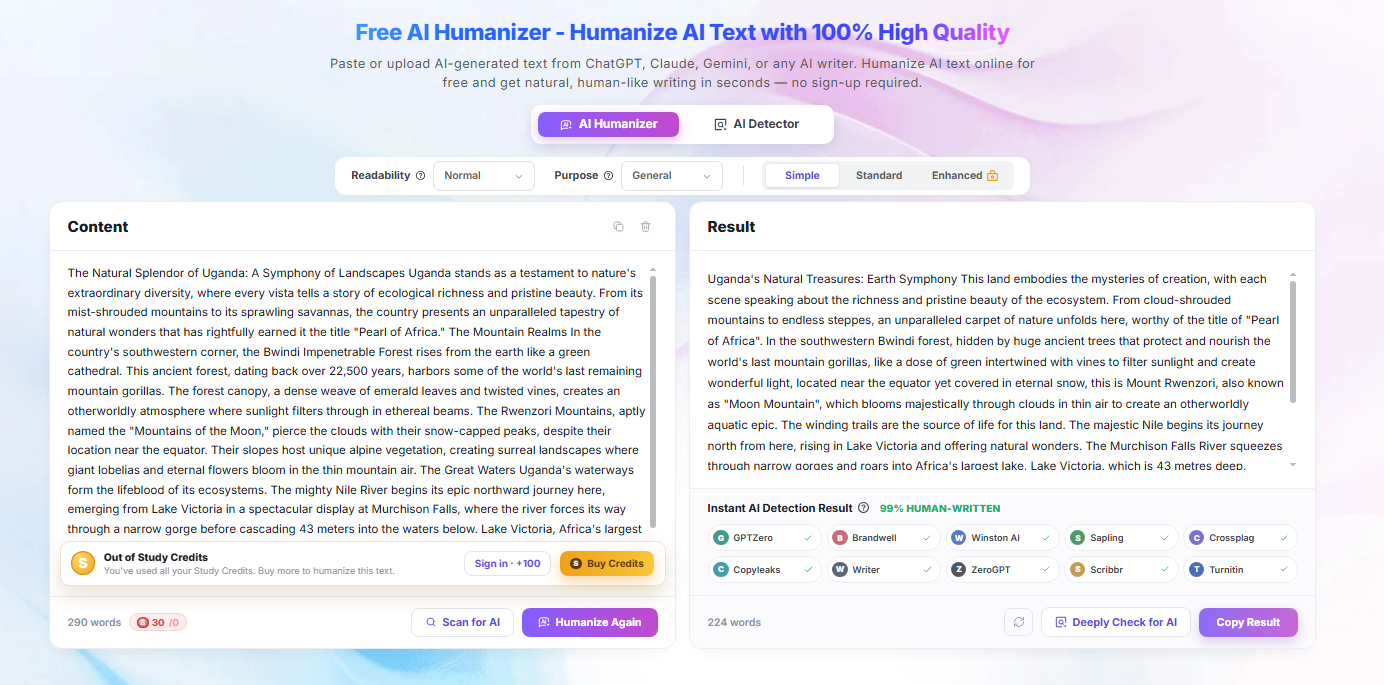
The Standard pipeline above is one of three tiers available. Each has different trade-offs:
| Tier | Style Preservation | Speed | Approach |
|---|---|---|---|
| Standard (this repo) | Best | Fast | Translation chain |
| Advanced | Good | Medium | Translation chain + LLM multi-round rewriting |
| Focus | Moderate | Slower | Translation chain + Detection-guided feedback loop |
Lynote.ai combines all three tiers and automatically selects the optimal approach for each text passage:
-
Intelligent Tier Selection — Analyzes text and picks Standard, Advanced, or Focus per-passage
-
Adaptive Combination — Can mix tiers within a single document
-
10+ Languages — English, Chinese, Japanese, Korean, Spanish, French, German, and more
-
Paste & Go — No setup, no API keys, no configuration
Three ways to run it
| Method | Who It's For | How |
|---|---|---|
| Lynote.ai | Everyone — all tiers, zero setup | Visit lynote.ai |
| n8n Workflow | No-code automation users | Import n8n/humanize_standard.json |
| Python Script | Developers | See below |
Python
git clone https://github.com/lynote-ai/humanize-text.git
cd humanize-text
pip install -r requirements.txt
cp config/config.example.toml config/config.toml
# Fill in your API keys in config.toml (see examples below)
python -m src.standard.pipeline --input "Your AI-generated text here"
DeepSeek (default):
[api_keys]
deepseek_api_key = "sk-..."
niutrans_api_key = "your-key"

[llm]
provider = "deepseek"
OpenRouter:
[api_keys]
openrouter_api_key = "sk-or-..."
niutrans_api_key = "your-key"

[llm]
provider = "openrouter"
model = "deepseek/deepseek-chat"   # any OpenRouter model slug
Atlas Cloud:
[api_keys]
atlascloud_api_key = "ak-..."
niutrans_api_key = "your-key"

[llm]
provider = "atlascloud"
model = "qwen/qwen3.5-flash"
OrcaRouter:
[api_keys]
orcarouter_api_key = "sk-orca-..."
niutrans_api_key = "your-key"

[llm]
provider = "orcarouter"
model = "deepseek/deepseek-chat"   # any OrcaRouter model slug
Override the API endpoint with base_url in [llm], or via LLM_BASE_URL / LLM_API_KEY environment variables. Full reference: docs/configuration.md.
n8n Workflow
- Import
n8n/humanize_standard.jsoninto your n8n instance - Configure the LLM API key and URL in the HTTP Request nodes (defaults to DeepSeek; point at OpenRouter's
https://openrouter.ai/api/v1/chat/completionsto use OpenRouter) - Run — input text goes in, humanized text comes out
Showcase — 5 Real Examples with Step-by-Step Outputs
Results below are from the legacy v1.x translation-chain scheme, not the current structure-first pipeline.
We ran the pipeline end-to-end on 5 real input texts and saved every intermediate step. On these samples, all five final outputs were classified as human by the detector we tested. These are illustrative traces from the open chain, not a guarantee — detection is probabilistic and varies by detector and version (see the note at the top of this README).
| # | Topic | Detection | Confidence |
|---|---|---|---|
| 01 | Quantum Computing | human |
0.9997 |
| 02 | Quantum Readiness Strategy | human |
0.9982 |
| 03 | Sustainable Supply Chains | human |
0.7810 |
| 04 | Financial Literacy | human |
0.9924 |
| 05 | Peer Review in Science | human |
0.7218 |
Each example shows: original input → Step 1 (中文改写) → Step 2 (日语改写) → Step 3 (一轮翻译) → Step 4 (二轮翻译, final). See examples/showcase/ for full traces.
Quality Metrics
Tested on 50 text pairs with expert evaluation:
| Dimension | Score (out of 10) |
|---|---|
| Information Completeness | 10.0 |
| Language Fluency | 9.0 |
| Style Adaptability | 8.8 |
| Readability | 9.2 |
| Creativity & Impact | 8.5 |
| Overall | 9.1 |
- Key Information Retention: 100% (50/50 pairs)
- All texts preserved original key information without distortion
These scores evaluate the legacy v1.x translation-chain output only — a static measure of the old scheme, not the current structure-first method or the Lynote.ai figures referenced at the top.
Comparison with Other Tiers
| Standard (this repo) | Lynote.ai | |
|---|---|---|
| Tiers Available | Standard only | Standard + Advanced + Focus |
| Tier Selection | Manual | Automatic per-passage |
| Style Preservation | Best | Adaptive — best possible per passage |
| Setup | Python + API keys | Zero setup |
| Best For | Style-sensitive content | Any content type |
Documentation
- Standard Pipeline Technical Details — v1.5 production pipeline
- 4 Methodologies Reference — v1.0 underlying methods
- Research Notes — why style-only humanization has a ceiling (StoryScope, COLM 2026)
- Training-Data Pipeline — the current structure-first SFT + KTO data method
- Configuration Guide
- n8n Workflow Guide
- Lynote.ai vs Open Source Comparison
- FAQ
Repo Structure
training-data-pipeline/      # ★ current method — structure-first SFT + KTO data pipeline
├── code/                    # ordered stages a–f, harness, tests
├── configs/  data/demos/    # versioned policies + 50 demo records per stage
└── docs/                    # ARCHITECTURE, DATA_CONSTRUCTION, PROMPTS

src/                         # legacy v1.x translation-chain reference (runnable)
├── standard/                # Standard Pipeline (4-step chain, CLI entry)
│   ├── pipeline.py          # 4-step chain, CLI entry
│   ├── llm_client.py        # OpenAI-compatible client (DeepSeek / OpenRouter)
│   ├── llm_rewriter.py      # LLM humanization rewrite
│   └── translators.py       # Google + Niutrans engines
│
└── methodologies/           # v1.0 four-methodology reference implementations
    ├── humanizer.py         # v1.0 dispatcher + FastAPI app
    ├── translation_chain.py # Method 1
    ├── llm_rewriter.py      # Method 2
    ├── detection_pipeline.py# Method 3
    ├── mixed_engine.py      # Method 4
    ├── postprocess.py
    ├── detectors/           # Method 3 detectors
    └── utils/

examples/
├── example_usage.py         # ★ v1.5.1 minimal entry
├── showcase/                # ★ 5 real samples with intermediate-step outputs
└── legacy/                  # v1.0 examples + 4-method comparison outputs
Limitations
Round-trip translation costs precision. Technical terminology and citations can drift, and the deeper tiers trade more of your original voice for more restructuring. If you're working with anything where exact wording matters, read the output carefully rather than trusting the pipeline.
No rewriting method makes text reliably undetectable. Detectors update faster than pipelines do, and results vary by input length, subject matter, and which detector you're facing. Treat the showcase/ results as a snapshot, not a guarantee.
Related
- Lynote AI Detector — sentence-level scoring, free
- Lynote AI Humanizer — hosted version of this pipeline
- Hugging Face Space — try it without installing anything
License
MIT License. See LICENSE for details.
Support & Contact
⭐ Star this repository if this all-in-one text humanization toolkit helps you.
🌐 Visit official website lynote.ai to unlock full premium features.
💬 Have questions, feature requests or usage troubles? Feel free to start a discussion in Discussions.