Thunderbolt 
AI You Control: Choose your models. Own your data. Eliminate vendor lock-in.
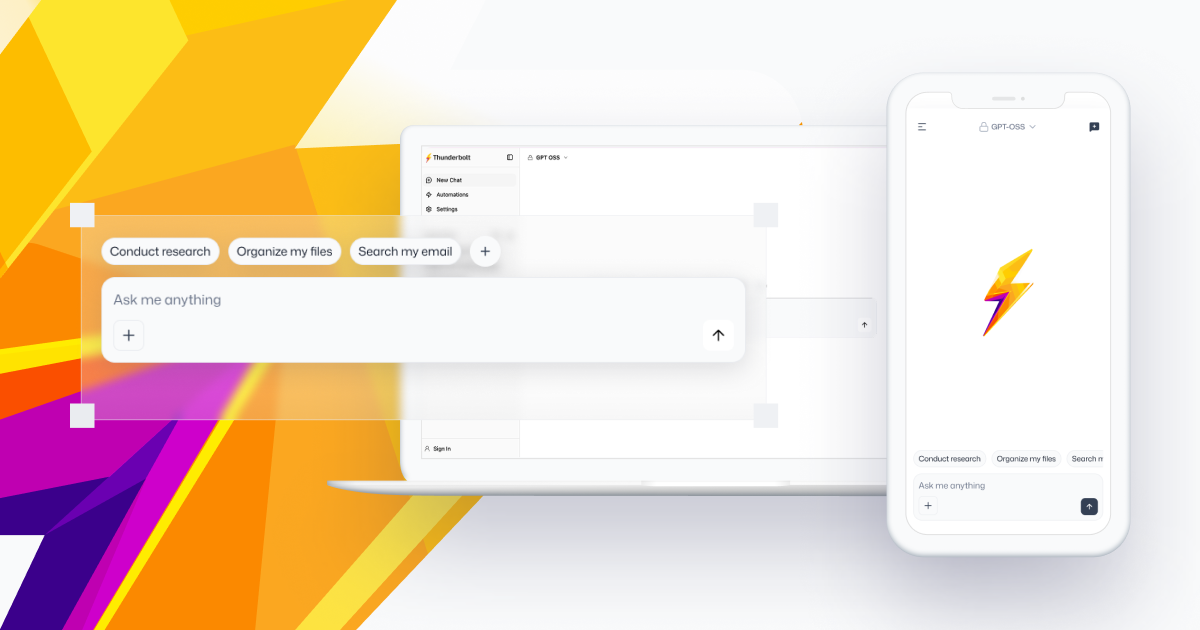
[!IMPORTANT] ⚠️ We are excited about the amount of interest Thunderbolt has been getting and want to clarify that it is still early and under active development. Currently, we are targeting enterprise customers that want to deploy it on-prem. We encourage you to self-host it and try it out, but there are a few caveats we are still working on:
- While we eventually plan to make Thunderbolt fully offline-first, it currently depends on authentication and search functionality (though you can disable search under Settings → Connections). You can deploy your own backend with Docker Compose and sign up in order to test it locally.
- Thunderbolt ships system-managed models that the backend serves on your behalf: Opus 5.5, routed to Anthropic, and a catalog of confidential models hosted in Tinfoil enclaves — one of which,
DeepSeek V4.1 Flash, is the default model for a new install. A backend you host yourself only serves those if you give itANTHROPIC_API_KEYandTINFOIL_API_KEY. Otherwise, add API keys for any OpenAI-compatible model provider in the settings, or point Thunderbolt at Ollama or llama.cpp for free local inference.
Thunderbolt is an open-source, cross-platform AI client that can be deployed on-prem anywhere.
- 🌐 Available on all major desktop and mobile platforms: web, iOS, Android, Mac, Linux, and Windows.
- 🧠 Compatible with frontier, local, and on-prem models.
- 🙋 Enterprise features, support, and FDEs available.
Thunderbolt is under active development, currently undergoing a security audit, and preparing for enterprise production readiness.
Get Started Locally
make doctor    # verify your tools — prints exact install commands for anything missing
make setup     # install frontend + backend dependencies, wire up agent symlinks
make up        # start Postgres + PowerSync in Docker
make run       # start the backend (:8000) and frontend (:1420)
For self-hosting with Docker Compose, Kubernetes, or Pulumi on AWS, see docs/self-hosting/. For full dev-environment details, see docs/internals/development/quick-start.md.
Need Help?
Found a bug? Have an idea?
- We're actively working on our docs, community, and roadmap. For now, the best way to get in touch is to File an issue.
Contributing
We welcome contributions from everyone.
- Getting set up: the development guide gets the backend, sync service, and frontend running locally.
- Conventions: AGENTS.md documents the code style and architecture invariants this repository is held to — TypeScript and React rules,
useEffectdiscipline, localization, responsive sizing, the app-version gate, reconciled defaults. It is written for coding agents, but it is the same reference human reviewers use. - Further development, tooling, and architecture docs are listed under Documentation below.
- Make sure to check out the Mozilla Community Participation Guidelines.
Documentation
Everything under docs/ is also published at thunderbolt.io/docs.
Using Thunderbolt
- Introduction — what Thunderbolt is, and who it is for today
- FAQ — funding, the relationship to Thunderbird, model support, data handling
- Customize — the extension points: agents, models, skills, projects, widgets, MCP servers, auth providers
- CLI —
thunderbolt, the single-binary terminal coding agent, and the ACP/MCP bridge that connects it to the app - Telemetry — what is collected, and how to turn it off
Features:
- Projects — a workspace whose instructions every chat inside it inherits
- Skills — reusable instruction bundles invoked with
/slugor loaded by the model - Widgets — interactive components the model embeds in a response
- HTML Artifacts — model-authored pages rendered in a sandboxed iframe
- Attachments — files on a chat turn, and why the bytes are never stored server-side
- Voice Mode — spoken conversation through the same send path as typing
- Search and the Command Palette —
Cmd/Ctrl+Kover chats, messages and settings - MCP Connections — adding Model Context Protocol servers
- ACP Agents — handing a thread to an external coding agent over WebSocket or iroh
- WebView — opening links in the app's side panel (desktop and mobile)
- Multi-Device Sync and End-to-End Encryption — local-first SQLite, opt-in sync, opt-in E2EE
- Export Format — the JSON snapshot behind Settings → Preferences → Export My Data
Self-Hosting
- Overview — the three deployment targets and the stack they share
- Configuration — every backend environment variable
- Docker Compose — single-host stack, for demos and evaluation
- Kubernetes — manifests and ConfigMaps synthesized from
deploy/config/ - Pulumi (AWS) — ECS Fargate or EKS via infrastructure-as-code
- Deployment assets — the Dockerfiles, realm and sync-rule configs all three targets build on
- Authentication — the four flows that mint a session, plus OIDC, SAML and personal access tokens
- Rate limiting — the Postgres-backed limiter in front of the routes that cost money
- Self-hosting the iroh relay — for the peer-to-peer CLI↔app bridge
Developing and Contributing
- Quick Start — prerequisites, bootstrap, and the local service layout
- AGENTS.md — code style and architecture invariants (see Contributing above)
- Frontend Structure — where a new file goes in
src/, and theui/conventions - Error Handling — optimistic code, and the few places that legitimately catch
- Testing and Backend Testing —
bun testscopes, PGlite, and what not to run at the repo root - Mobile Setup — iOS and Android Tauri dev
- Integrations — adding a third-party account the model can act on
- CI and Preview Environments — the workflows a pull request starts
- AI Code Review — the automated review every non-draft PR receives
- Storybook, Vite Bundle Analyzer, Local CDN for app updates, Tauri Signing Keys
- Release Process — cutting and publishing a release
Architecture
Start with the architecture map — the components, how they talk, and where each piece of state lives. Then, by area:
- Client — App initialization · Chat runtime · System prompt, tools and citations · Content view · Data access layer · Auth and session · Client data migrations · Settings and preferences · Reconciled defaults · Tauri shell · In-browser agent harness · The
shared/module - Backend — API surface · Universal proxy · Managed inference · Sign-in and the waitlist · Debug transcripts · Backend service
- Sync and data — PowerSync, account and devices · Sync middleware · Upload authorization · Composite primary keys and default data · Delete account and revoke device
Code of Conduct
Please read our Code of Conduct. All participants in the Thunderbolt community agree to follow these guidelines and Mozilla's Community Participation Guidelines.
Security
If you discover a security vulnerability, please report it responsibly via our vulnerability reporting form. Please do not file public GitHub issues for security vulnerabilities.
License
Thunderbolt is licensed under the Mozilla Public License 2.0.