

Past Claude Code, Codex, GitHub Copilot, DeepSeek Harness, Hermes Agent, Kiro, Kimi Code, OMP, Pi, and ZCode sessions -- queryable by your agent, browsable by you.
English · 中文
Obelisk indexes your local coding-agent history into one SQLite database and serves it to two audiences:
- Agents — the
obeliskCLI plus an agent skill that teaches coding agents to search their own session history. The agent writes JS queries, runs them locally, and answers in plain language. - Humans — an Electron desktop app to browse sessions, manage memories, view usage stats, and see weekly recap cards.
Both read the same ~/.obelisk/obelisk.sqlite, kept fresh by watching every
configured provider directory.
20K lines of scattered JSONL → something your agent can search() and sql()
against in milliseconds.
Use it from your agent
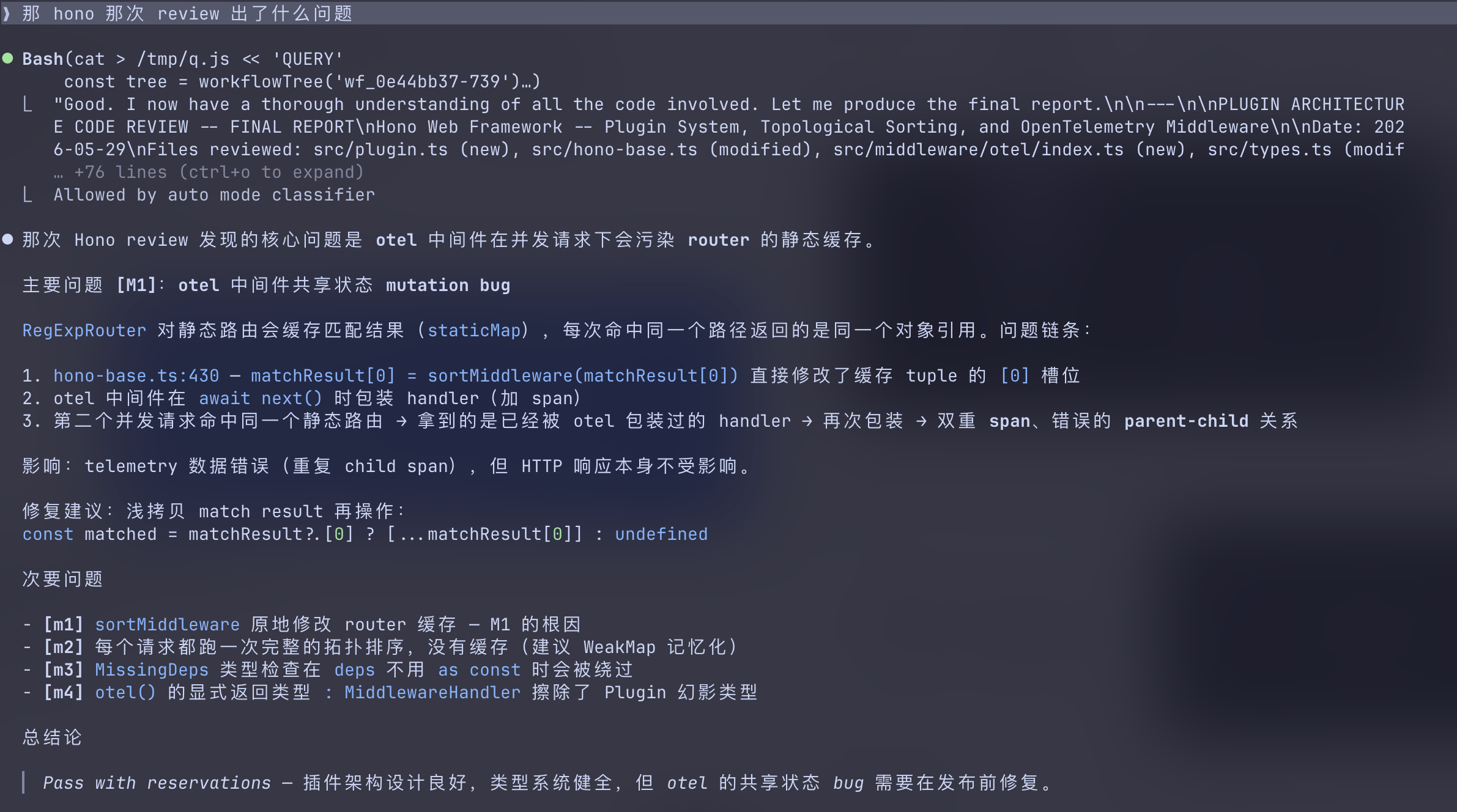
/obelisk 上次 auth bug 最后到底改了哪些文件,为什么这么改
/obelisk 这个文件最近在哪些 sessions 里被反复修改
/obelisk 找出最近失败的 tool calls,它们分别发生在哪些任务里
/obelisk 那个 review workflow 的 subagents 各自结论是什么
/obelisk recap this week
Install
Install with your agent (recommended)
The shortest path is to give the bootstrap guide directly to a coding agent with shell access. Paste this as a prompt into Claude Code, Codex, or another agent — not into your terminal:
Install Obelisk by fetching and following this guide:
curl -fsSL https://raw.githubusercontent.com/tommy0103/obelisk/main/SKILL.md
The agent will ask before changing your machine, install and verify the CLI,
then ask whether the formal /obelisk skill should be installed for the current
project or globally. The bootstrap guide is only for one-time setup; it is not
the query skill itself.
Install manually
Obelisk requires Node.js 22.13 or newer. Install the platform-neutral CLI (zero runtime npm dependencies — it uses Node's built-in SQLite):
npm install --global @obelisk-apps/cli
obelisk --version
On macOS, Linux, or WSL, the CLI-only installer is equivalent:
curl -fsSL https://raw.githubusercontent.com/tommy0103/obelisk/main/install.sh | sh
Then install the agent skill:
obelisk install
obelisk install delegates to the standard skills installer for
tommy0103/obelisk-skill. Then in any agent session: /obelisk .
First run builds the index (~5 seconds for 100 sessions); after that it
rebuilds incrementally.
How it works
You ask a question
  ↓
Agent writes a JS query against the SQLite index
  ↓
Runs it via obelisk --query
  ↓
Reads the JSON result, answers in natural language
Default query surface (CLI 0.3.0+): overview(), sessions(), search(),
messages(), memories(), summaries(), and sql().
Specialized helpers and legacy script globals remain available.
Signatures, options, and query patterns live in the
API reference.
Memory layer
When a retrieval produces a conclusion worth keeping, the agent proposes a
markdown memory file. After your approval, it registers the file with
obelisk --attune . Memories are recalled via memories() in future
sessions — a synthesis cache, not a replacement for raw evidence.
Recap
The optional /obelisk recap flow turns a period of sessions into shareable
weekly/monthly recap cards. It loads its references only for explicit recap
intent, starting at
skill-doc/references/recap/overview.md
and proceeding card by card.
Browse it in the app
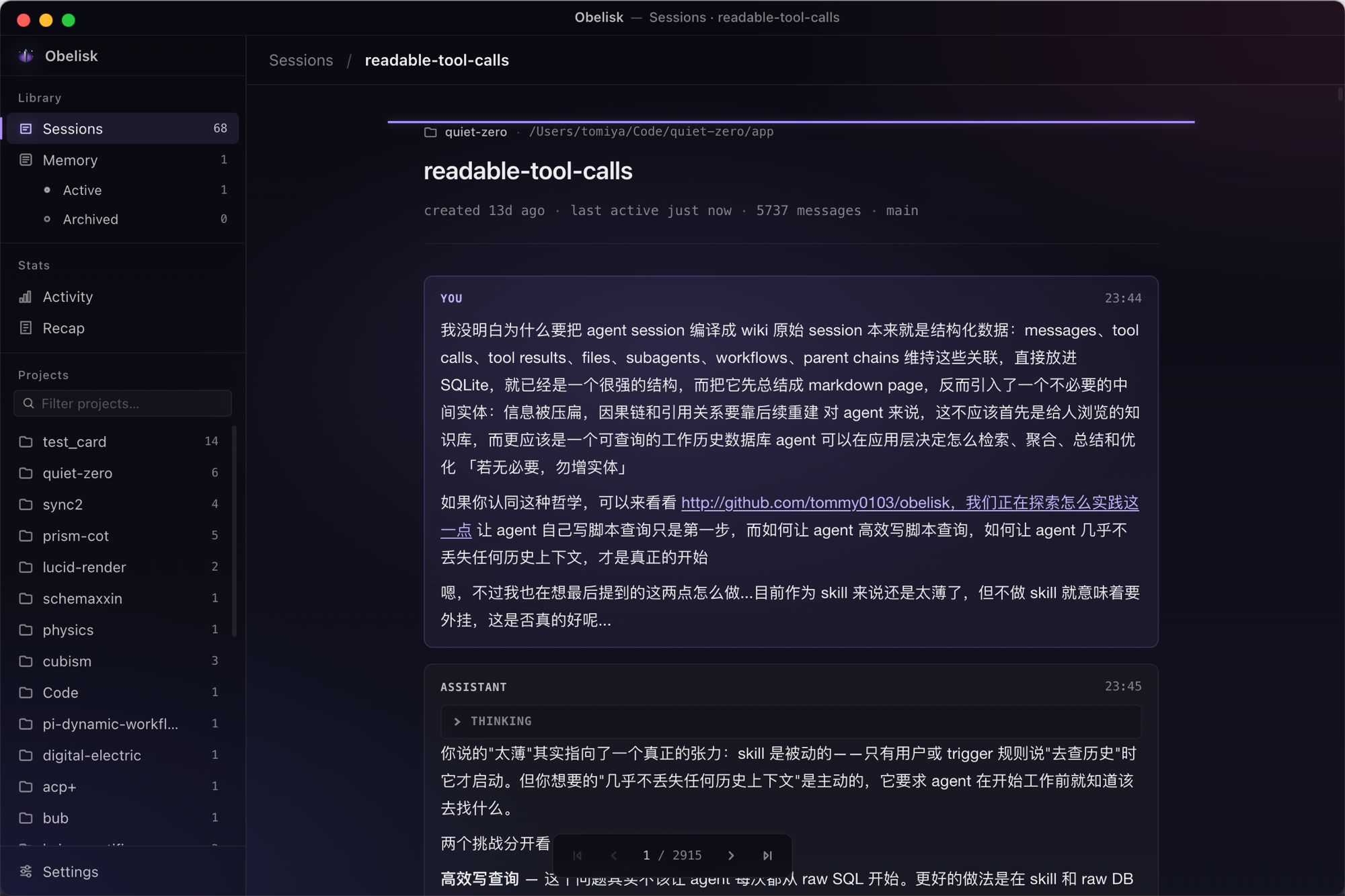
- Sessions — browse all sessions with search, project filtering, readable tool calls (diffs, terminal output, file viewers)
- Memory — list and detail views for registered memory files
- Activity — GitHub-style heatmap, weekly/cumulative token charts
- Recap — shareable weekly/monthly recap cards with archetype theming
- Settings — data source configuration, auto-refresh, rebuild index
Prebuilt releases are available for macOS and Linux amd64 from
Releases, with in-app updates
(Sparkle on macOS, DebUpdater on Debian installations). On macOS, Windows,
and Linux you can also run the app from source — Node.js 22.13+ for the build
tools; the app itself runs on Electron's embedded Node:
git clone https://github.com/tommy0103/obelisk.git
cd obelisk/app
npm ci
npm run dev
Debugging, packaging, and the release workflow are maintainer docs; they live in CONTRIBUTING.md.
Note: while the desktop app is running it owns index writes, so CLI invocations stay read-only.
What gets indexed
Every provider projects into the same shared layers; a few layers exist only where the source tool has the concept:
| Layer | What's captured | Availability |
|---|---|---|
| Sessions | Title, project, timestamps, git branch, source | all providers |
| Messages | Full text, model, token usage, parent chain | all providers |
| Tool calls | Tool name, input, file paths | all providers |
| Subagents | Agent type, description, full conversation | Claude Code, Codex, DeepSeek Harness, Hermes Agent, Kiro V3, Kimi Code, ZCode |
| Summaries | Session summaries emitted by the provider | Kiro V3, Kimi Code |
| Workflows | Workflow script, result, and per-agent transcripts | Claude Code |
| Memories | Conclusions linked to source sessions | registered markdown files |
Full-text search via FTS5 covers all layers. Per-provider source locations are listed under Provider coverage.
Provider coverage
Every provider indexes into the same schema; rows carry a source value and
non-Claude IDs are provider-prefixed so they cannot collide.
| Provider | Default source |
|---|---|
| Claude Code | ~/.claude/projects |
| Codex | ~/.codex/sessions, ~/.codex/archived_sessions |
| GitHub Copilot | VS Code User data roots (Chronicle store + workspace transcripts) |
| DeepSeek Harness | ~/.dsh/sessions (or $DSH_HOME/sessions) |
| Hermes Agent | ~/.hermes/state.db (or $HERMES_HOME/state.db) |
| Kiro | ~/.kiro/sessions and the platform kiro-cli/data.sqlite3 store |
| Kimi Code | ~/.kimi-code/sessions (or $KIMI_CODE_HOME/sessions) |
| OMP | ~/.omp/agent/sessions |
| Pi | ~/.pi/agent/sessions |
| ZCode | ~/.zcode/cli/db/db.sqlite |
Where a provider attests superseded history, Obelisk preserves it as inactive
rows that normal queries omit; supported query helpers can opt in with
includeInactive: true.
| Provider | Superseded-history support |
|---|---|
| Pi | Branch, leaf, and compaction state attests inactive history |
| OMP | Branch, leaf, and compaction state attests inactive history |
| ZCode | Rewind retention and compaction attest inactive history |
| Kimi Code | Undo/clear can attest supersession; preservation is a follow-up |
| Hermes Agent | Superseded history is not split: compaction-archived and rewound rows are both stored as inactive |
| Claude Code | The source does not attest rewind or current-leaf state |
| Codex | Sessions have no branching semantics |
Non-default locations — a Pi --session-dir, an OMP custom root, the VS Code
Insiders User directory — can be selected in the app's Settings.
Adapter internals (identity hashing, supersession replay, per-provider root discovery) are documented in retrieval semantics and the ADRs.
Contributing
Contributions are welcome. Read CONTRIBUTING.md before opening a PR — it is short, and it is written from what actually blocked past PRs rather than from generic style rules. The parts worth knowing up front:
- Run every claim in your PR description end to end. The most common reason a PR stalls here is a capability that is advertised but unreachable — including inputs shown in screenshots.
- Assert the requirement, not the implementation. Copy the sentence from the issue into your test name.
- Transcript content is attacker-controlled. Obelisk indexes third-party
agent logs; anything reaching
shell.*,fs.*,innerHTML, or DDL is deny-by-default. - Re-run verification after merging main. A merge voids every result above it, including your own noted limitations.
Star History
License
Copyright (C) 2026 tommy0103 and contributors.
Obelisk is licensed under the GNU Affero General Public License v3.0 (AGPL-3.0-only); see LICENSE. Derivative works are welcome: if you distribute a modified version, please keep the per-file copyright notices intact and mark your modifications prominently with a date, as AGPL-3.0 §5 requires.